
Introduction: Traffic Without Sales Is a Warning Sign
Your Online Store Is Not Selling. You’ve done everything right — or so it seems. You built a beautiful online store, set up your product listings, maybe even ran some ads. Visitors are arriving. Google Analytics shows real numbers. And yet… sales are painfully slow, or worse, nonexistent.
If this sounds familiar, you’re not alone. Thousands of ecommerce store owners face exactly this situation every day. The frustrating truth is that getting traffic to your website and actually converting that traffic into paying customers are two completely different challenges.
Think of it this way: traffic is like people walking past your shop window. Conversions are what happen when they actually walk in, pick something up, and pay for it. A busy street doesn’t automatically mean a profitable store. The gap between visits and purchases is where most online businesses quietly bleed revenue.
The average ecommerce conversion rate sits somewhere between 2% and 4%. That means for every 100 people who visit your store, only 2 to 4 of them will actually buy something. But many stores perform far below even that modest benchmark — and the reasons are almost always identifiable and fixable.
In this guide, we’re going to walk through the 7 most common reasons your online store isn’t generating sales. Each one is a real, documented problem that affects stores of all sizes. More importantly, each one has a practical solution. By the end of this article, you’ll have a clear picture of what’s holding your store back — and what to do about it.
Problem 1 — Slow Website Performance Drives Customers Away
Let’s start with one of the most overlooked and most damaging problems in ecommerce: website loading speed.
Here’s a fact that should make every store owner sit up straight. According to research from Google, as page load time goes from one second to three seconds, the probability of a visitor bouncing increases by 32%. Push that to five seconds, and the bounce rate jumps by 90%. At ten seconds, you’ve likely lost the visitor entirely — and they’re already on a competitor’s site.
Speed is not a technical nicety. It’s a sales tool.
When your pages load slowly, several things happen simultaneously. First, visitors leave before your content even appears. Second, search engines like Google rank your store lower in results because page speed is a confirmed ranking factor. Third, the visitor’s first emotional impression of your brand is negative — they associate the slowness with unreliability.
Common causes of slow website loading speed include:
- Uncompressed or oversized product images
- Too many third-party scripts and plugins running simultaneously
- Poor quality or shared web hosting
- No content delivery network (CDN) in place
- Unminified CSS and JavaScript files
- No browser caching configured
What you can do:
Start by measuring your current speed. Google PageSpeed Insights and GTmetrix are free tools that give you a detailed breakdown of exactly what’s slowing your site down. Aim for a load time of under 2.5 seconds on desktop and under 3 seconds on mobile.
Compress all product images before uploading them. Tools like TinyPNG or ShortPixel can reduce image file sizes by 60–80% without any visible quality loss. If your store runs on WordPress or WooCommerce, a caching plugin like WP Rocket or W3 Total Cache can dramatically improve performance.
Consider upgrading your hosting. Shared hosting plans are cheap, but they come at the cost of performance. A managed WooCommerce or Shopify hosting plan built for ecommerce can make a measurable difference in load times — and in your conversion rate.

UX/UI Design
User-centered design services for intuitive and engaging digital experiences. Wireframing, prototyping, visual design, and usability testing to create websites that convert visitors into customers.
- • User Research & Personas
- • Wireframes & Prototypes
- • Visual & Interface Design
- • Usability Testing
Problem 2 — Poor Mobile Experience Costs You Revenue
If your store isn’t optimized for mobile users, you’re effectively turning away the majority of your potential customers.
According to data from Statista, mobile commerce accounted for more than 60% of all global ecommerce traffic in recent years. Shoppers browse on their phones while commuting, during lunch breaks, and while watching television. If your store doesn’t work beautifully on a small screen, those visitors will not stay — and they will not buy.
Poor mobile ecommerce optimization is surprisingly common, even on stores that look perfectly fine on a desktop computer.
Common mobile usability mistakes include:
- Text that’s too small to read without zooming
- Buttons that are too close together or too small to tap accurately
- Product images that don’t resize properly
- Checkout forms that are painful to fill out on a touchscreen
- Pop-ups that cover the entire screen and are hard to close on mobile
- Horizontal scrolling that breaks the layout
What you can do:
The foundation of mobile optimization is responsive design — a web design approach where your store automatically adjusts its layout and element sizes based on the screen size of the device being used. Most modern ecommerce platforms like Shopify, WooCommerce, and BigCommerce support responsive themes.
But having a responsive theme isn’t enough on its own. You need to actively test your store on real mobile devices. Use Google’s Mobile-Friendly Test tool to get an initial assessment. Then physically walk through the entire shopping journey on your own smartphone — browse, search, add to cart, and attempt to check out. Note every point of friction.
Pay special attention to your mobile checkout. Autofill support, large input fields, and a minimal number of required steps are essential for keeping mobile shoppers moving toward purchase.
Problem 3 — A Complicated Checkout Process Increases Cart Abandonment
Your customer has found a product they want. They’ve added it to their cart. They’re ready to buy. And then… they leave.
Shopping cart abandonment is one of the most painful problems in ecommerce. According to the Baymard Institute, which conducts extensive research on ecommerce usability, the average cart abandonment rate across industries is approximately 70%. That means 7 out of every 10 people who add something to their cart never complete the purchase.
Why does this happen? In most cases, it’s because the checkout process itself gets in the way.
The most common checkout friction points are:
| Friction Point | Why It Kills Conversions |
|---|---|
| Forced account creation | Shoppers don’t want to commit to an account just to make one purchase |
| Too many form fields | Every extra field is an extra reason to abandon |
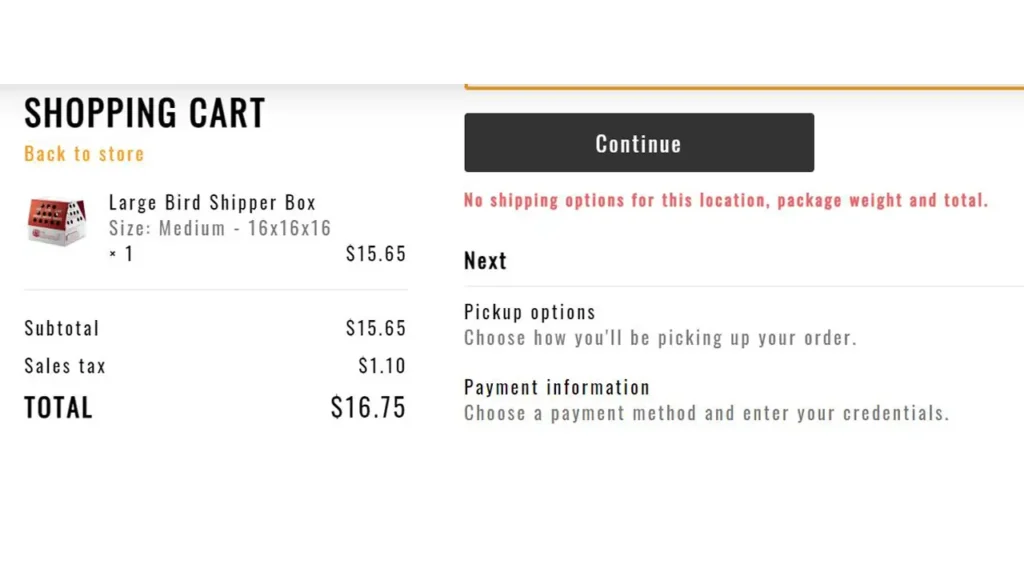
| Hidden shipping costs | Surprise fees at the last step create immediate distrust and abandonment |
| Limited payment options | Customers want to pay their preferred way — card, PayPal, Apple Pay, etc. |
| Slow or confusing checkout pages | Any confusion at this critical stage breaks the buying momentum |
| No guest checkout option | First-time buyers especially resist mandatory registration |
What you can do:
The single most impactful change you can make is enabling a guest checkout option. Allow customers to complete a purchase using only their email address — no account required. You can always invite them to create an account after the purchase is confirmed.
Reduce your checkout to as few steps as possible. Ideally, your entire checkout process should be completable in one or two pages. Remove any form fields that aren’t absolutely necessary. Show a progress indicator so customers know how close they are to finishing.
Display all costs — including shipping — as early as possible. Ideally, show estimated shipping costs on the product page or at the cart stage, well before the final checkout step.
Checkout process optimization is one of the highest-return investments you can make. Even small improvements in checkout completion rates translate directly into significantly more revenue.
Problem 4 — Weak User Experience Confuses Visitors
Even if your store loads quickly and works on mobile, visitors still need to be able to find what they’re looking for. If your ecommerce user experience is confusing or frustrating, people will simply leave.
User experience (UX) in ecommerce refers to how easy and enjoyable it is to navigate your store, find products, understand your offerings, and move toward purchase. Poor UX is often invisible to store owners because they know their own site so well — but first-time visitors experience it very differently.
Common UX problems in online stores:
- Navigation menus that are cluttered, confusing, or inconsistently organized
- Poor search functionality that returns irrelevant results or no results at all
- Product categories that don’t match how customers think about products
- No filtering or sorting options on category pages
- Lack of breadcrumb navigation, making it hard to go back
- Inconsistent layouts between pages
- Too many distracting elements that pull attention away from products
What you can do:
Start with your navigation. Every major product category should be reachable within one or two clicks from the homepage. Your search bar should be prominent and functional — ideally with autocomplete suggestions. On category pages, provide useful filters like price range, size, color, rating, and availability.
Think carefully about how your customers mentally categorize your products, which may be different from how you think about them internally. If you sell clothing, for example, customers might search by occasion, by season, or by style rather than by your internal SKU categories.
Consider conducting simple usability tests. Ask a friend or family member who is unfamiliar with your store to find a specific product and make a purchase while you watch silently. Their points of confusion will reveal your biggest UX problems faster than any analytics tool.

SEO Optimization Services
Professional search engine optimization services to boost your website visibility. Keyword research, on-page optimization, technical SEO, and content strategy to drive organic traffic and improve rankings.
- • Keyword Research & Strategy
- • On-Page & Technical SEO
- • Content Optimization
- • Performance Analytics
Problem 5 — Lack of Trust Prevents Customers from Buying
Here is an uncomfortable truth about online shopping: strangers don’t trust you. At least not yet.
When someone visits your online store for the first time, they have no relationship with your brand. They can’t inspect the product in person. They can’t see your face or talk to a salesperson. They’re being asked to hand over their credit card details to a website they’ve never visited before.
In this environment, trust signals ecommerce — the visual and content cues that tell a visitor your store is legitimate, secure, and reliable — are absolutely critical. Without them, even genuinely interested buyers will hesitate and leave.
Key trust signals your store needs:
| Trust Signal | What It Communicates |
|---|---|
| SSL certificate (HTTPS) | Your site is secure and data is encrypted |
| Customer reviews and ratings | Real people have bought from you and were satisfied |
| Clear return and refund policy | You stand behind your products |
| Payment security badges | Recognized payment providers validate your legitimacy |
| Visible contact information | A real business operates behind this website |
| About Us page with real people | Puts a human face on your brand |
| Social media presence | Your brand exists and engages in the wider world |
What you can do:
Make sure your site runs on HTTPS. If your URL still shows as HTTP, your store is actively flagged as “Not Secure” by browsers like Chrome — a massive red flag for any potential buyer.
Add customer reviews to your product pages. According to research from Spiegel Research Center, displaying reviews can increase conversion rates by up to 270%. Even a handful of genuine reviews makes an enormous difference.
Create a clear, easy-to-find returns policy page. Customers are far more likely to buy when they know they can return an item if it’s not right. Make this information impossible to miss.
Place trust badges — PayPal Verified, Stripe, Visa/Mastercard logos, McAfee Secure, or similar — near your checkout buttons. These familiar symbols provide powerful reassurance at the exact moment when a customer is deciding whether to proceed.
Problem 6 — Product Pages Fail to Convince Buyers
Your product page is your best salesperson. It has one job: convince a visitor that this product is exactly what they need and that buying it right now is the right decision.
Most product pages fail at this job — not because the product is bad, but because the page doesn’t communicate its value effectively.
Poor online store optimization at the product page level is one of the most common and most damaging problems we see. Store owners often write minimal descriptions, use a few stock or low-quality photos, list features without explaining benefits, and wonder why visitors don’t buy.
What makes a high-converting product page:
A great product title that includes the key search term a customer would use. A description that speaks directly to the customer’s needs, desires, and pain points — not just a list of features. High-quality images from multiple angles, with zoom capability. A video demonstration wherever possible. Clearly stated pricing with no ambiguity. Size guides, compatibility information, or technical specs where relevant. Customer reviews prominently displayed. A visible, compelling Add to Cart button.
What you can do:
Rewrite your product descriptions with the customer in mind, not the product. Instead of “Made from 100% cotton,” write “Soft, breathable 100% cotton that keeps you comfortable all day — and gets softer with every wash.” Translate features into benefits that matter to real people.
Invest in product photography. In ecommerce, images are everything. Customers cannot touch, smell, or try your products. Your photos must do all of that work. If your current images are blurry, poorly lit, or show only one angle, improving them will have an immediate positive effect on conversions.
If your platform supports it, add a product video. Even a simple 30-second demonstration of a product in use can significantly increase buyer confidence.

BestChinaGadget.com
Your trusted source for Chinese tech gadgets and electronics. Expert reviews, comparisons, and deals on smart devices, accessories, and innovative products from China’s leading brands.
- • Gadget Reviews & Guides
- • Price Comparisons
- • Exclusive Deals & Discounts
- • Tech News & Trends
Problem 7 — Ineffective Calls-to-Action Reduce Conversions
Every page on your store should guide the visitor toward a clear next step. That guidance comes through your calls-to-action — the buttons, links, and prompts that tell visitors what to do next.
Call to action buttons are small design elements with enormous influence over your conversion rate. A poorly designed or positioned CTA can silently kill sales on an otherwise well-built page.
Common CTA mistakes in ecommerce:
- Buttons that are too small, poorly colored, or difficult to find
- Vague button text like “Submit” or “Click Here” instead of action-oriented language
- Multiple competing CTAs on a single page that confuse the visitor
- CTAs placed so far down the page that most visitors never see them
- No urgency or value proposition communicated around the CTA
What you can do:
Your primary CTA on a product page should always be the Add to Cart or Buy Now button. It should be large, visually prominent, and placed above the fold — visible without scrolling on both desktop and mobile.
Use action-oriented, benefit-forward language. “Add to Cart” is standard and acceptable. “Get Yours Today” or “Start Your Free Trial” can feel more engaging depending on your product and brand voice.
Create a sense of urgency where it’s genuine and appropriate. Displaying real-time stock levels (“Only 3 left in stock”), limited-time offers, or delivery deadline information (“Order within 2 hours for next-day delivery”) can meaningfully increase the likelihood that a visitor converts right now rather than thinking about it and forgetting.
Test different CTA colors. Your Add to Cart button should contrast strongly with the rest of your page. A green or orange button on a white page is typically more eye-catching than a grey one. Small changes to button color and size have been shown in A/B tests to produce measurable conversion improvements.
No Conversion Rate Optimization Strategy = No Growth
Many store owners make improvements based on gut feeling — changing something because it “seems like it should work” and moving on. This approach leaves enormous amounts of money on the table.
Conversion rate optimization (CRO) is the disciplined, data-driven process of continuously identifying what’s preventing conversions and systematically testing improvements. It’s not a one-time project — it’s an ongoing strategy.
The tools of a solid CRO strategy:
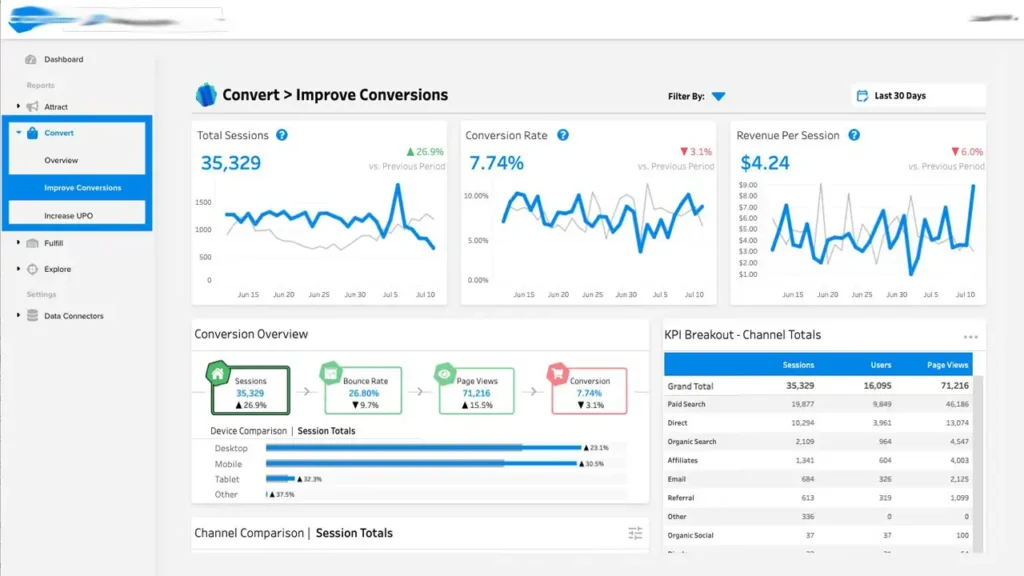
Google Analytics or a similar analytics platform shows you which pages visitors enter on, where they drop off, how long they stay, and which traffic sources produce the most valuable visitors. If you’re not looking at this data regularly, you are flying blind.
Heatmap tools like Hotjar or Microsoft Clarity show you visually where visitors click, how far they scroll, and where they hesitate or get confused. These insights are often more revealing than raw traffic numbers because they show behavior, not just volume.
A/B testing — also called split testing — is the practice of showing two versions of a page element to different groups of visitors and measuring which performs better. You might test two different headline versions, two different button colors, or two different product image layouts. Over time, these tests compound into significant conversion improvements.
What you can do:
Set up Google Analytics 4 if you haven’t already. Configure ecommerce tracking so you can see exactly which products are being viewed, which are being added to cart, and where customers drop out of your checkout funnel.
Install a free heatmap tool and review your highest-traffic pages. Look for patterns — are visitors clicking on things that aren’t links? Are they scrolling past your most important content without seeing it?
Begin A/B testing with your highest-impact pages first: your homepage, your top product pages, and your checkout page. Even one or two tests per month, run consistently over six months, can produce remarkable improvements in your conversion rate.
Professional Store Optimization Delivers Long-Term Growth
Let’s bring this all together.
Your online store may be struggling with one of these seven problems, or more likely, a combination of several. The good news is that every single one of these issues is diagnosable, fixable, and — once addressed — capable of producing lasting improvement in your ecommerce conversion rate.
Here’s a quick summary of the seven critical issues we covered:
| Problem | Key Solution |
|---|---|
| Slow website loading speed | Compress images, upgrade hosting, use a CDN and caching |
| Poor mobile experience | Responsive design, mobile-optimized checkout, test on real devices |
| Complicated checkout process | Guest checkout, fewer form fields, transparent costs |
| Weak user experience | Clearer navigation, better search, logical category structure |
| Lack of trust signals | HTTPS, reviews, clear return policy, payment badges |
| Weak product pages | Benefit-focused copy, high-quality images, customer reviews |
| Ineffective calls-to-action | Prominent, action-oriented buttons with urgency where appropriate |
The businesses that thrive in ecommerce aren’t necessarily the ones with the biggest budgets or the most products. They’re the ones that pay close attention to their customer’s experience, measure what’s working, fix what isn’t, and keep improving.
A professional website audit is often the fastest way to identify which specific combination of issues is holding your store back. Rather than guessing or trying to fix everything at once, an expert audit gives you a prioritized action plan — the highest-impact changes you can make to start seeing results as quickly as possible.
Need Professional Help With Your Online Store?
If your store gets traffic but struggles to convert that traffic into sales, the problem is usually technical, UX-related, or conversion-focused — and it’s almost always solvable.
At Andreev Web Studio, we help ecommerce businesses:
✅ Improve conversion rates through data-driven CRO strategies
✅ Optimize website speed for faster loading on all devices
✅ Simplify and streamline checkout processes to reduce abandonment
✅ Enhance UX and mobile usability across the entire store
✅ Build genuine customer trust through proven trust signals
✅ Implement SEO and CRO strategies that deliver measurable results
✅ Increase ecommerce revenue through systematic, proven improvements
Request a professional website audit and discover exactly what’s preventing your store from converting visitors into customers. We’ll give you a clear picture of what’s wrong, why it matters, and precisely what to do about it — so you can stop guessing and start growing.
🇬🇧 English ⭐⭐⭐⭐⭐
“I found this article incredibly helpful. It clearly explains why many online stores fail to convert visitors into customers and provides practical solutions that are easy to implement. The website is professional, fast, and full of valuable web development and SEO insights. I highly recommend it to any business owner looking to increase online sales. Read the full article at www.andreevwebstudio.com.”
🇪🇸 Español ⭐⭐⭐⭐⭐
“Excelente artículo. Explica de forma clara las razones por las que una tienda online puede tener muchas visitas pero pocas ventas. Los consejos sobre velocidad, experiencia de usuario y optimización son muy útiles. El sitio web ofrece contenido profesional y de gran calidad. Recomiendo visitar www.andreevwebstudio.com para leer el artículo completo.”
🇸🇦 العربية ⭐⭐⭐⭐⭐
“مقال رائع ومفيد للغاية. يشرح الأسباب الأكثر شيوعًا لانخفاض مبيعات المتاجر الإلكترونية ويقدم حلولًا عملية لتحسين سرعة الموقع وتجربة المستخدم وزيادة التحويلات. الموقع احترافي وسهل الاستخدام ويحتوي على الكثير من المعلومات القيمة. أنصح بزيارة www.andreevwebstudio.com وقراءة المقال بالكامل.”
🇨🇳 中文 ⭐⭐⭐⭐⭐
“这是一篇非常专业且实用的文章。它详细分析了为什么在线商店没有销量,并提供了关于网站速度、用户体验和转化率优化的有效建议。网站设计精美,内容质量很高,非常值得收藏。推荐访问 www.andreevwebstudio.com 阅读完整文章。”
🇫🇷 Français ⭐⭐⭐⭐⭐
“Excellent article ! Les explications sont simples, pertinentes et très utiles pour comprendre pourquoi une boutique en ligne ne génère pas suffisamment de ventes. Les conseils sur la vitesse du site, l’expérience utilisateur et l’optimisation des conversions sont particulièrement intéressants. Je recommande vivement de visiter www.andreevwebstudio.com pour lire l’article complet.”
🇩🇪 Deutsch ⭐⭐⭐⭐⭐
“Ein hervorragender Artikel mit vielen praktischen Tipps. Er zeigt verständlich, warum ein Onlineshop trotz vieler Besucher keine Verkäufe erzielt und wie sich Ladegeschwindigkeit, Benutzerfreundlichkeit und Conversion-Optimierung verbessern lassen. Die Website ist modern, informativ und professionell gestaltet. Ich empfehle jedem, den vollständigen Beitrag auf www.andreevwebstudio.com zu lesen.”