
Why Your Website Might Be Working Against You
Let’s be honest — you put time, money, and creative energy into building your website. It looks decent. Maybe even great. But the conversions? They’re just not there. Visitors come, poke around, and leave without buying, signing up, or reaching out.
Sound familiar?
You’re not alone. Thousands of businesses face this exact problem every day, and the frustrating part is that the culprit usually isn’t something dramatic. It’s not that your product is bad or your pricing is wrong. More often than not, it’s a handful of fixable website mistakes quietly strangling your conversion rate.
In this guide, we’re going to walk through the top mistakes that kill website conversions — and more importantly, how to fix them. Whether you’re running an e-commerce store, a service business, or a SaaS platform, these insights apply directly to you.
Let’s dig in.
What Is Website Conversion Optimization — And Why Should You Care?
Before we get into the mistakes, let’s make sure we’re on the same page about what we’re actually optimizing.
Website conversion optimization (also called CRO — Conversion Rate Optimization) is the process of increasing the percentage of visitors who take a desired action on your website. That action could be making a purchase, filling out a contact form, subscribing to a newsletter, downloading a resource, or booking a call.
Your conversion rate is calculated simply:
Conversion Rate = (Number of Conversions / Total Visitors) × 100
So if 1,000 people visit your site and 20 of them make a purchase, your conversion rate is 2%.
According to data from WordStream and various industry benchmarks, the average website conversion rate across industries sits between 2% and 5%. But top-performing websites regularly achieve 10% or higher — not because they have more traffic, but because they’ve eliminated the friction that stops visitors from acting.
That gap between 2% and 10% is exactly what this article is about.
The good news? You don’t need to rebuild your entire website from scratch. Most conversion improvements come from identifying and fixing specific, targeted mistakes. Let’s go through them one by one.
Mistake 1 — Slow Loading Speed
Your Site Has About 3 Seconds. That’s It.
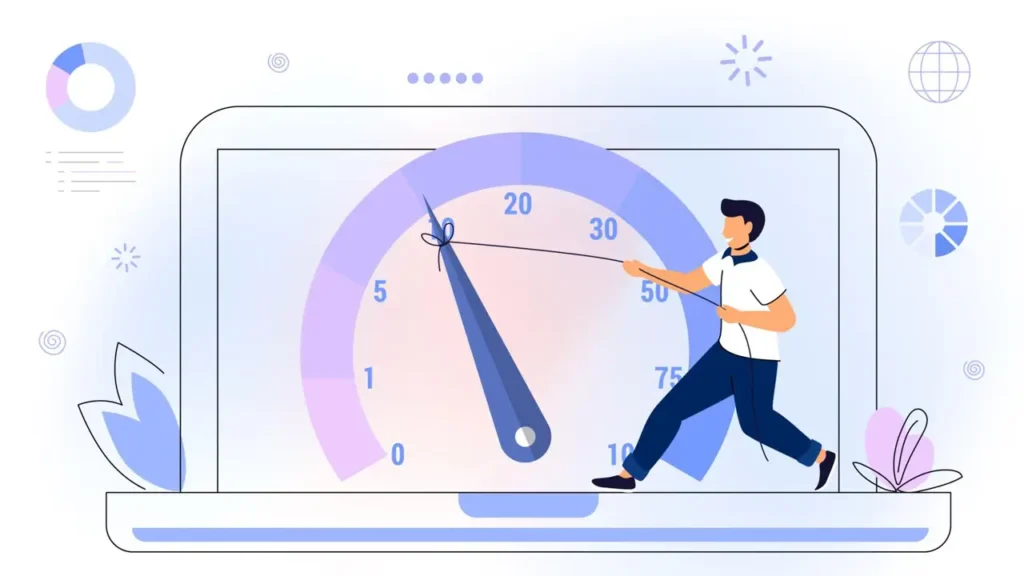
We live in an era of instant gratification. People don’t wait. If your website takes longer than 3 seconds to load, a significant portion of your visitors will leave before they even see your content.
According to Google’s research, as page load time increases from 1 second to 3 seconds, the probability of a visitor bouncing increases by 32%. Push that to 5 seconds, and the bounce probability jumps to 90%. That’s not a typo — ninety percent.
Think about what that means in real terms. If you’re getting 10,000 visitors a month and your site takes 5 seconds to load, you could be losing up to 9,000 potential customers before they even read your headline.
Website speed optimization isn’t just a technical nicety — it’s a revenue issue.
What Slows Websites Down?
| Common Speed Issue | Impact Level | Fix |
|---|---|---|
| Uncompressed images | High | Use WebP format, compress before upload |
| No browser caching | Medium | Enable caching via server settings or plugin |
| Too many HTTP requests | High | Minify CSS/JS, combine files where possible |
| No CDN (Content Delivery Network) | Medium-High | Use Cloudflare or similar CDN service |
| Slow hosting server | High | Upgrade to faster hosting or VPS |
| Render-blocking JavaScript | Medium | Defer non-critical JS loading |
How to Check Your Speed Right Now
Google’s PageSpeed Insights tool (free, official) gives you a detailed breakdown of your site’s performance on both desktop and mobile, along with specific recommendations for improvement. Aim for a score of 90+ on both.
GTmetrix is another widely used tool that offers waterfall charts showing exactly which elements are slowing your page down.
The bottom line: every second you shave off your load time translates directly into more conversions. This is one of the highest-ROI improvements you can make.
Mistake 2 — Weak or Invisible Call to Action
If You Don’t Tell Visitors What to Do, They Won’t Do Anything
This one surprises a lot of business owners. You might assume that if someone likes your product or service, they’ll figure out how to buy it. But that’s not how human psychology works online.
People are busy, slightly distracted, and making dozens of micro-decisions every time they browse a website. Without a clear, compelling call to action (CTA), they simply move on.
Call to action optimization is about making the next step crystal clear, irresistible, and easy to take.
The Most Common CTA Mistakes
1. Too many CTAs competing for attention If every button on your page is screaming “Buy Now!”, “Sign Up!”, “Learn More!”, “Contact Us!”, “Download Here!” simultaneously, the user experiences decision paralysis. When everything is a priority, nothing is.
2. CTAs that blend into the design Your CTA button needs to visually stand out. It should be a different color from the rest of your page, ideally one that creates contrast. A light grey button on a light grey background is practically invisible.
3. Vague CTA copy “Click Here” and “Submit” are two of the most commonly used — and worst — CTA phrases on the internet. They tell the user nothing about what they’re getting. Compare:
- Weak: “Submit”
- Strong: “Get My Free Website Audit”
- Weak: “Click Here”
- Strong: “Start Improving My Conversion Rate Today”
4. CTAs placed where nobody looks If your main CTA only appears at the very bottom of a long page, most users will never see it. Place primary CTAs above the fold (visible without scrolling), and include secondary CTAs throughout longer pages.
Where to Place CTAs for Maximum Impact
Research from Nielsen Norman Group on eye-tracking and user behavior shows that visitors tend to scan pages in an F-pattern or Z-pattern. Your CTAs should align with these natural reading flows — typically in the upper-right area, center of the page, and at logical pause points in your content.
The rule of thumb: after every section where you’ve delivered value, give the user an opportunity to take the next step.
Mistake 3 — Poor Mobile Experience
Over 60% of Web Traffic Is Mobile. Is Your Site Ready?
According to Statista’s data on global web traffic, mobile devices account for approximately 60% of all internet traffic worldwide. In some industries and regions, that figure climbs even higher.
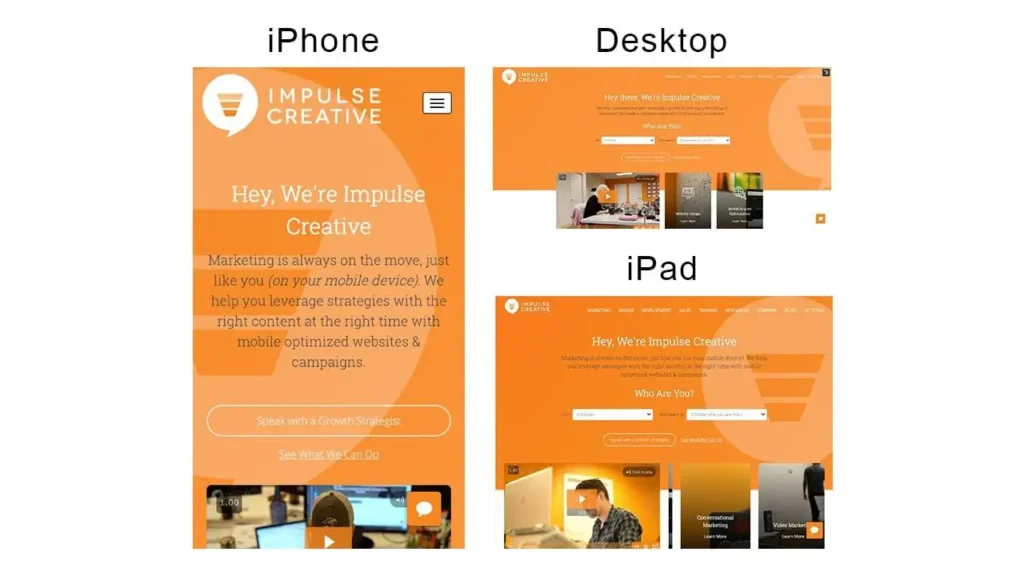
If your website isn’t genuinely optimized for mobile — not just “it loads on a phone” but actually designed for mobile-first interaction — you are actively losing more than half your potential conversions.
Mobile-friendly website design goes far beyond making your layout responsive. It’s about reimagining the entire user experience for a smaller screen, touch-based interaction, and often slower connection speeds.
Signs Your Mobile Experience Is Failing
| Mobile UX Problem | User Experience Impact | Conversion Impact |
|---|---|---|
| Text too small to read | Frustration, zooming | High abandonment |
| Buttons too small to tap | Misclicks, rage taps | CTA fails, drop-off |
| Horizontal scrolling required | Disorientation | Immediate bounce |
| Pop-ups blocking content | Irritation | Google penalty + bounce |
| Long checkout or form process | Fatigue | Abandoned cart/form |
| Images not loading properly | Distrust | Loss of credibility |
The Google Mobile-First Indexing Factor
It’s worth noting that since 2019, Google has been using mobile-first indexing for most websites. This means Google primarily uses the mobile version of your site for ranking and indexing. A poor mobile experience doesn’t just hurt your conversions — it directly damages your SEO rankings, reducing the traffic coming to your site in the first place.
You can test your mobile friendliness using Google’s official Mobile-Friendly Test tool. It’s free and takes about 30 seconds.
Need a professional website or SEO optimization?
Visit our web development studio for custom websites, SEO services, and digital solutions.
Go to Andreev Web Studio →Mistake 4 — Confusing Navigation
Don’t Make Your Users Think
The legendary usability expert Steve Krug wrote a book about web usability with a brilliantly simple title: “Don’t Make Me Think.” The core idea is that every moment a user has to pause and figure out what to do next is a moment they might give up and leave.
Navigation is where this principle matters most. Your website’s menu structure, internal links, and page hierarchy should guide visitors effortlessly toward conversion — not create a puzzle they have to solve.
Website usability issues in navigation are extremely common and often invisible to site owners, because you know your own website too well. You know exactly where everything is. Your visitors don’t.
What Good Navigation Looks Like
Good navigation is:
Simple — Limit your main menu to 5–7 items maximum. More than that overwhelms users. If you have more content, use dropdowns sparingly and logically.
Descriptive — Menu labels should instantly communicate what’s on the page. “Solutions” is vague. “Website Design Services” is clear.
Consistent — Your navigation should appear in the same place on every page of your site. Users build a mental model of where things are; breaking that model creates frustration.
Action-oriented — Include a visually distinct CTA button in your navigation bar, separate from regular menu links. This is often the highest-converting element on the entire page.
Mobile-optimized — Hamburger menus (the three-line icon) are fine on mobile, but the dropdown they reveal must be easy to use with a thumb.
The Footer Matters Too
Many businesses neglect their website footer, but it’s actually a key navigation element for users who’ve scrolled all the way down. A well-organized footer with links to key pages, contact information, and a CTA can capture conversions from visitors who are close to deciding but need just a little more reassurance.
Mistake 5 — Lack of Trust Elements
People Buy From Businesses They Trust. Are You Building That Trust?
This is one of the most psychologically powerful factors in website conversion optimization, and it’s frequently underestimated.
Imagine walking past two restaurants. One has a queue of happy customers visible through the window, awards displayed on the wall, and an A-grade hygiene certificate in the door. The other has none of these things. Which one do you choose?
Your website works the same way. When visitors land on your page, they’re instantly — often unconsciously — scanning for signals that you’re legitimate, trustworthy, and that others have had positive experiences with you.
If those signals aren’t there, hesitation kicks in. And hesitation kills conversions.
Trust Elements That Improve Website Conversion Rate
Customer Reviews and Testimonials These are among the most powerful trust builders available. According to research from BrightLocal, 79% of consumers say they trust online reviews as much as personal recommendations from friends. Genuine reviews with real names, photos, and specific details are far more effective than vague praise.
Case Studies For B2B and higher-ticket services, case studies that show measurable results (e.g., “We helped X company increase their leads by 140% in 3 months”) are extremely convincing. They demonstrate real-world proof of your capabilities.
Trust Badges and Security Seals SSL certificates (that padlock in the browser bar), payment security badges (Visa, Mastercard, PayPal), and recognized security certifications (Norton, McAfee) all signal to users that their data and money are safe. These are especially critical on checkout and contact form pages.
Media Mentions and Logos “As seen in Forbes / BBC / TechCrunch” with recognizable logos instantly elevates your perceived authority. If you’ve been featured in any publications, podcasts, or industry platforms, display those logos prominently.
Team Photos and About Pages Showing the real humans behind your business builds personal connection and trust. A well-crafted About page with genuine team photos and backstory significantly outperforms faceless corporate copy.
Clear Contact Information A physical address, phone number, and professional email address (not a Gmail account) tell visitors that you’re a real, reachable business. The absence of these details raises red flags.
Mistake 6 — Overloaded, Cluttered Design
Less Is More — Especially When Conversions Are the Goal
There’s a temptation in web design to fill every inch of the screen with something. Features, badges, images, animations, color blocks, pop-ups, scrolling banners — all in the hope that more content means more value.
But from a conversion standpoint, the opposite is usually true.
Every additional element on a page competes for the user’s attention. Each competing element dilutes the focus on your primary conversion goal. The result is a page that looks busy but performs poorly.
Improving user experience on your website often means removing things, not adding them.
The Principle of Visual Hierarchy
Visual hierarchy is the design principle that guides a user’s eye through your page in a specific order — from the most important element to the least. When your design has a clear hierarchy, users intuitively know what to focus on and what to do next.
When hierarchy breaks down — because too many elements are competing for equal attention — users feel subconsciously confused, even if they can’t articulate why. They leave.
Signs your design is overloaded:
- Multiple different fonts being used
- More than 3 primary colors on the page
- Paragraphs competing with sidebars, pop-ups, and banners simultaneously
- No clear visual path from headline to CTA
- Animations or auto-playing videos that distract from the main message
The fix: Work with a designer (or audit your existing design) using the “squint test” — literally squint at your page. What stands out? If it’s not your headline and CTA, something needs to change.
Mistake 7 — Unclear Value Proposition
You Have About 5 Seconds to Answer “Why Should I Choose You?”
When a visitor lands on your homepage or a key landing page, they’re asking one primary question: “What’s in it for me?” If your website doesn’t answer that question clearly within the first few seconds, they’re gone.
Your value proposition is the clear, compelling statement that explains:
- What you offer
- Who it’s for
- Why it’s better than the alternatives
This is the foundation of landing page optimization. Everything else — your design, your CTA, your trust elements — amplifies your value proposition. But if the core message is unclear or generic, nothing else can save the page.
What a Strong Value Proposition Looks Like
A strong value proposition is:
Specific — “We help e-commerce stores increase revenue by 30% using conversion-focused design” is far more compelling than “We build great websites.”
Benefit-focused — Lead with what the customer gets, not what you do. “Save 10 hours a week on invoicing” beats “We make invoicing software.”
Differentiated — Why you and not a competitor? Address this directly and honestly.
Immediately visible — Your value proposition should be the first thing visitors read, typically in your hero section headline and subheadline.
Run a 5-second test: show your homepage to someone unfamiliar with your business for exactly 5 seconds, then close it. Ask them what the site was about and who it was for. If they can’t tell you clearly, your value proposition needs work.
Mistake 8 — High Bounce Rate Pages You’re Ignoring
If Users Are Leaving One Page More Than Others, That’s a Signal
Bounce rate refers to the percentage of visitors who land on a page and leave without taking any further action — no click, no scroll, no conversion. A high bounce rate on a specific page tells you something important: that page is failing to engage or convert its visitors.
The challenge is that many website owners look at their overall bounce rate rather than page-by-page analysis. That overall number hides critical information.
To reduce bounce rate on your website, you first need to identify which specific pages have the highest bounce rates, then diagnose why.
Common Reasons for High Bounce Rates
| Cause of High Bounce Rate | How to Diagnose | How to Fix |
|---|---|---|
| Traffic/content mismatch | Check traffic source vs. page content | Align ad/SEO keywords with landing page |
| Slow load speed | PageSpeed Insights | Optimize images, enable caching |
| Weak or missing CTA | Heatmap/scroll map analysis | Add clear, prominent CTAs |
| Poor readability | Session recordings | Improve fonts, spacing, contrast |
| Irrelevant or thin content | User feedback, time-on-page data | Expand and improve content quality |
| No internal linking | Check links on page | Add relevant links to other pages |
Google Analytics 4 (GA4) is your primary tool for analyzing bounce rates by page. Pair it with a heatmap tool like Microsoft Clarity (free) to see exactly where users are clicking, scrolling, and dropping off.
Mistake 9 — Ignoring UX Fundamentals
The Silent Killers: Spacing, Fonts, and Hierarchy
Some UX mistakes are dramatic and obvious — broken links, 404 pages, forms that don’t submit. But the most insidious UX mistakes on websites are the subtle ones. The ones that don’t technically break anything but quietly erode user confidence and comfort.
These are the silent killers of conversion: poor typography, insufficient spacing, bad color contrast, and broken visual hierarchy.
UX Fundamentals Checklist
Typography: Body text should be a minimum of 16px on desktop and 14px on mobile. Line height (the space between lines of text) should be 1.5 to 1.6 for optimal readability. Use a maximum of 2–3 font families across your entire site. Avoid decorative fonts for body copy — save them for headlines only.
Spacing (White Space): White space — the empty space between elements — is not wasted space. It’s breathing room that guides the eye, groups related elements, and reduces cognitive load. Cramped, cluttered layouts feel stressful. Spacious layouts feel professional and trustworthy.
Color Contrast: The Web Content Accessibility Guidelines (WCAG), published by the W3C, recommend a contrast ratio of at least 4.5:1 for normal text. Low contrast text (like light grey on white) is difficult to read for everyone and impossible for users with visual impairments. Use a free contrast checker to verify your palette.
Consistent Styling: Buttons should look the same throughout your site. Links should be styled consistently. Heading sizes should follow a logical hierarchy (H1 larger than H2, H2 larger than H3, etc.). Inconsistency signals amateurism — and amateurism kills trust.
Accessibility: Designing for accessibility isn’t just about compliance — it makes your site better for everyone. Use alt text on images, ensure keyboard navigability, and avoid relying solely on color to convey information.
Mistake 10 — No Continuous Testing
You Can’t Improve What You Don’t Measure
Here’s the uncomfortable truth about website conversion optimization: it’s never “done.” The businesses with the highest-converting websites got there through relentless, data-driven testing — not by guessing right on the first try.
If you’re not continuously testing different versions of your pages, headlines, CTAs, layouts, and offers, you’re leaving growth on the table. Every assumption you have about what your users want is just that — an assumption. Testing turns assumptions into evidence.
A/B Testing: The Foundation of CRO
A/B testing (also called split testing) involves showing two versions of a page element to different users simultaneously, then measuring which version performs better. You might test:
- Two different headline options
- A red button versus a green button
- Short-form copy versus long-form copy
- A page with a video versus a page without
- One CTA versus two CTAs
The key is testing one variable at a time, so you know exactly what caused any change in conversion rate. Testing multiple things simultaneously makes it impossible to draw accurate conclusions.
Google Optimize was a widely used free A/B testing tool — though as of 2023, Google has sunset that product. Current widely-recommended alternatives include VWO (Visual Website Optimizer), Optimizely, and AB Tasty, among others.
What Else Should You Be Measuring?
Beyond A/B testing, a strong conversion rate optimization process includes:
Heatmaps — Visual representations of where users click, move their mouse, and scroll. Tools like Microsoft Clarity (free) and Hotjar show you exactly how real users interact with your pages.
Session Recordings — Recordings of actual user sessions on your site. Watching people navigate your site is humbling and illuminating in equal measure. You’ll spot problems you’d never have found through analytics alone.
User Surveys — Asking real users what stopped them from converting. On-page surveys with a single question (“What almost stopped you from completing this today?”) can surface objections you’d never have guessed.
Funnel Analysis — Tracking the steps users take from landing on your site to completing a conversion, and identifying where the most drop-off occurs.
Putting It All Together — Your Conversion Optimization Action Plan
Now that we’ve walked through all ten mistakes, let’s bring it together into something you can actually act on.
| Priority | Mistake to Fix | First Step | Expected Impact |
|---|---|---|---|
| 1 | Slow loading speed | Run PageSpeed Insights test | Immediate bounce reduction |
| 2 | Weak CTA | Rewrite & reposition main CTA | Direct conversion lift |
| 3 | Poor mobile experience | Google Mobile-Friendly Test | 60%+ of traffic improved |
| 4 | Confusing navigation | Simplify menu to 5–7 items | Reduced drop-off |
| 5 | No trust elements | Add reviews + security badges | Higher purchase confidence |
| 6 | Overloaded design | Audit and remove distractions | Clearer user path |
| 7 | Unclear value proposition | Run 5-second test on homepage | Better first impression |
| 8 | High bounce rate pages | Analyze GA4 by page | Pinpoint & fix weak spots |
| 9 | Poor UX basics | Typography & contrast audit | Improved readability & trust |
| 10 | No testing process | Set up heatmaps + first A/B test | Long-term continuous growth |
Final Thoughts — Your Website Should Be Working For You
Your website is not a digital brochure. It’s not just an online presence. It’s your most valuable sales tool — one that works 24 hours a day, 7 days a week, across every time zone, without taking a break.
But it only works if it’s built and optimized to convert.
The mistakes we’ve covered in this guide — from slow loading speeds and weak CTAs to poor mobile experiences and the absence of trust signals — are all fixable. None of them require you to start from scratch. What they do require is honest assessment, strategic thinking, and a willingness to prioritize the user’s experience over your own preferences.
The businesses that win online aren’t necessarily the ones with the biggest budgets or the flashiest designs. They’re the ones that understand their users, remove friction from the conversion path, and commit to continuous improvement.
Start with the highest-priority items on the action plan above. Fix one thing at a time. Measure the results. Build on what works.
Your website has the potential to be your best-performing sales asset. The only question is whether you’re willing to do what it takes to get it there.
Your website shouldn’t just look good — it should sell.
If your conversion rate isn’t where it should be, it’s time to fix the foundation.
👉 Get a professional audit and redesign:
https://andreevwebstudio.com/
BestChina3DPrinters.com
Your trusted guide to Chinese 3D printers. Expert reviews, comparisons, and recommendations for FDM and resin printers from top brands like Creality, Anycubic, Flashforge, and more.
- • Expert Reviews & Guides
- • Price Comparisons
- • Discount Codes & Deals
- • Beginner-Friendly Tips