Introduction: Why Website Maintenance Mistakes Cost Businesses Money
Let’s be honest — most business owners don’t wake up thinking about website maintenance. You’ve got products to sell, clients to serve, and a hundred other priorities demanding your attention. Website maintenance feels like something you’ll “get to eventually.”
But here’s the uncomfortable truth: website maintenance mistakes are quietly costing businesses money every single day. Not in a dramatic, server-crash kind of way (though that happens too), but in the slow, invisible leak of lost traffic, missed conversions, and damaged credibility.
According to a report by Gartner, the average cost of IT downtime is approximately $5,600 per minute. Even for small businesses, unplanned downtime, slow loading pages, or a hacked website can mean hundreds or thousands of dollars in lost revenue — plus the harder-to-measure damage to your brand reputation.
Here’s what makes website maintenance mistakes particularly sneaky: they often don’t announce themselves. Your site looks fine. Pages load. Forms submit. But under the surface, outdated plugins are creating security holes, your Core Web Vitals are tanking your Google rankings, and your last backup was six months ago.
This guide walks you through the 5 most common and costly website maintenance mistakes, explains why each one matters, and gives you practical, actionable steps to fix them. Whether you’re managing a WordPress site yourself or working with a developer, this is the information you need to keep your website healthy, secure, and converting.
Let’s dig in.
Mistake #1: No Backup Strategy (and Why It’s the Riskiest Gamble You’re Taking)
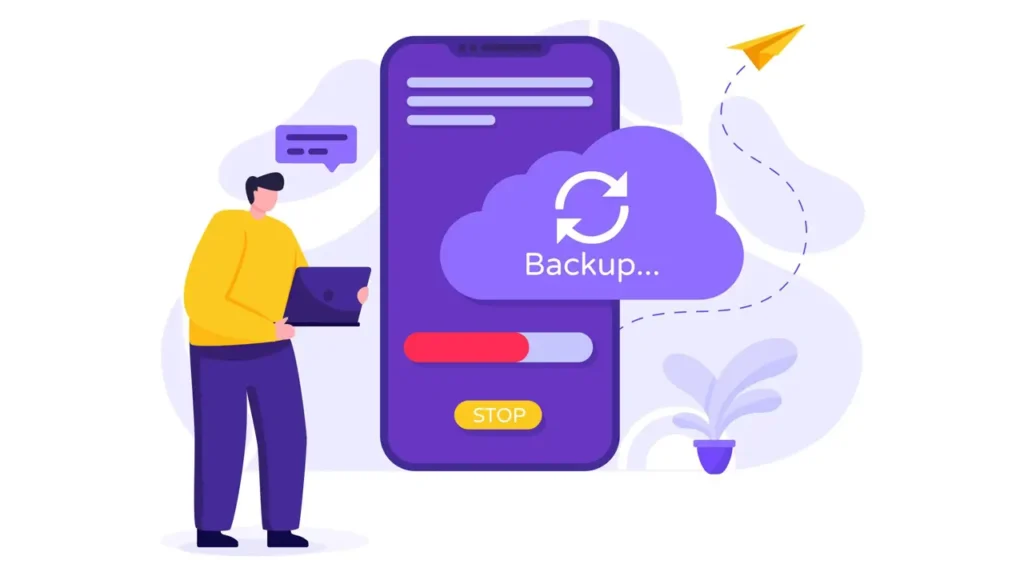
Imagine spending years building your website — crafting your content, perfecting your product pages, growing your blog — and then losing it all overnight. No dramatic warning. No second chance. Just gone.
This isn’t a horror story. It happens to real businesses every day, and almost always because they had no reliable website backup solutions in place.
The Real Risks of Ignoring Backups
Data loss can happen for many reasons:
- Hosting server failure or hardware crash
- A bad plugin update that breaks the entire site
- A cyberattack or ransomware infection
- Human error (accidentally deleting files or the database)
- A botched migration or update
Without a current, working backup, recovery ranges from extremely difficult to completely impossible. Even if your hosting provider offers some form of backup, relying solely on that is a mistake. Hosting-level backups are often infrequent, limited, or not guaranteed under their terms of service.
What a Solid Backup Strategy Actually Looks Like
According to industry best practices — including guidance from WordPress.org and cybersecurity frameworks like the NIST Cybersecurity Framework — a reliable backup strategy follows the 3-2-1 rule:
| Rule | What It Means |
|---|---|
| 3 Copies | Keep at least 3 copies of your data |
| 2 Different Media | Store on 2 different types of storage (e.g., cloud + local) |
| 1 Offsite | Keep at least 1 backup in a completely separate location |
For WordPress sites specifically, tools like UpdraftPlus, BackupBuddy, and Jetpack Backup allow you to automate daily or even real-time backups to remote storage like Google Drive, Dropbox, or Amazon S3.
The fix: Set up automated daily backups, store them offsite, and test your restore process at least once every quarter. A backup you’ve never tested is a backup you can’t trust.
Mistake #2: Ignoring Updates — The Silent Security Threat
Here’s a statistic that should get your attention: according to Sucuri’s annual Website Threat Research Report, over 50% of hacked WordPress websites were running outdated software at the time of the attack — outdated themes, plugins, or WordPress core itself.
Ignoring updates is one of the most dangerous WordPress maintenance mistakes you can make. And it’s shockingly common.
Why Updates Matter Beyond Just New Features
When developers release updates for WordPress core, themes, or plugins, those updates often include security patches — fixes for known vulnerabilities that hackers actively exploit. The moment a vulnerability is publicly disclosed, attackers begin scanning the internet for websites running the unpatched version.
If you haven’t updated your plugins in three months, you might be running software with publicly known security holes.
Beyond security, outdated software causes:
- Plugin conflicts that break functionality
- PHP compatibility issues that can crash your site
- Performance regressions that slow down loading times
- Loss of support from developers, meaning bugs never get fixed
How to Update WordPress Plugins Safely
The key word here is safely. Blindly clicking “Update All” can sometimes cause conflicts. A better approach:
- Create a backup before every update (see Mistake #1)
- Use a staging environment to test updates before applying to your live site
- Update one plugin at a time and check the site after each update
- Review changelogs — developers publish what changed and why
- Remove unused plugins and themes — even inactive ones can be exploited
The fix: Schedule a weekly maintenance window to review and apply updates. Use tools like ManageWP or MainWP to manage updates across multiple sites from a single dashboard.

UX/UI Design
User-centered design services for intuitive and engaging digital experiences. Wireframing, prototyping, visual design, and usability testing to create websites that convert visitors into customers.
- • User Research & Personas
- • Wireframes & Prototypes
- • Visual & Interface Design
- • Usability Testing
Mistake #3: Sticking With a Weak Hosting Provider
You got your hosting on a Black Friday deal three years ago. It was cheap, it worked fine at first, and switching feels like a headache you don’t need. Sound familiar?
Choosing (or staying with) a poor hosting provider is one of the most impactful slow website hosting mistakes — and its effects ripple across everything from user experience to search engine rankings.
How Bad Hosting Hurts Your Business
Google has been explicit: page speed is a confirmed ranking factor. Their own documentation and the introduction of Core Web Vitals as part of the Page Experience ranking signals make clear that slow websites get penalized in search results.
But slow hosting doesn’t just hurt SEO. Consider the data from Google’s research: as page load time goes from 1 second to 3 seconds, the probability of a mobile visitor bouncing increases by 32%. At 5 seconds, that probability jumps to 90%.
Poor hosting manifests as:
- Slow Time to First Byte (TTFB) — the server takes too long to respond
- Frequent downtime or instability
- Limited resources that cause crashes during traffic spikes
- Poor geographic server locations for your audience
- Lack of modern infrastructure (no HTTP/2, no PHP 8+, no SSD storage)
What Good Hosting Looks Like
| Feature | Why It Matters |
|---|---|
| SSD Storage | Faster data read/write speeds than traditional HDD |
| PHP 8.1+ | Significant performance improvements for WordPress |
| CDN Integration | Delivers content faster to users worldwide |
| 99.9% Uptime SLA | Minimizes costly downtime |
| HTTP/2 Support | Faster parallel loading of assets |
| Built-in Caching | Reduces server load and speeds up delivery |
The fix: Test your current hosting performance using tools like Google PageSpeed Insights or GTmetrix. If your TTFB is consistently above 600ms, it’s time to evaluate better options. Managed WordPress hosts like Kinsta, WP Engine, or Cloudways are built specifically for WordPress performance.
Mistake #4: Running Your Site With No Monitoring System
Your website goes down at 11 PM on a Tuesday. You find out about it on Thursday — because a customer emailed you saying they couldn’t place an order.
How many visitors came and left during those 36 hours? How many orders didn’t happen? How many people searched for your service, clicked your link, saw an error, and went straight to a competitor?
This is what happens when businesses operate with no website downtime monitoring or website security monitoring in place.
Downtime Is a Direct Revenue Loss
The math is straightforward. If your site generates $1,000 per day and goes down for 12 hours, you’ve potentially lost $500 — just in direct revenue, not counting the SEO impact of returning errors to Googlebot or the reputational damage from frustrated visitors.
According to data from ITIC’s annual reliability surveys, 98% of organizations say a single hour of downtime costs over $100,000. While that’s enterprise-scale, the proportional impact on small businesses is just as severe relative to their size.
Beyond downtime, security threats are constant. Bots continuously probe websites for vulnerabilities, attempting brute-force logins, injecting malicious code, or scraping content.
Monitoring Tools You Should Be Using
Uptime Monitoring:
- UptimeRobot — free tier monitors every 5 minutes, sends instant alerts via email or SMS
- Pingdom — detailed performance and availability reports
- StatusCake — real user monitoring and uptime alerts
Security Monitoring:
- Sucuri — malware scanning, firewall, and incident response
- Wordfence (WordPress) — real-time threat defense and login protection
- Jetpack Security — automated scanning with one-click fix options
The fix: Set up uptime monitoring today — it takes about 10 minutes with UptimeRobot and is free. For security, install a reputable security plugin and configure it to send weekly scan reports. Enable two-factor authentication on all admin accounts.
Web Development
Professional custom web development services. Responsive design, modern frameworks, AI-powered solutions, and scalable architecture to build websites that perform and convert.
- • Custom WordPress Development
- • Responsive & Mobile-First
- • AI-Powered Features
- • Fast & Secure Architecture
Mistake #5: Ignoring Website Performance Optimization
Your site is up. It’s secure. It’s updated. But it still feels… sluggish. Pages take a few seconds to load. Images are large. Scripts block the page from rendering quickly.
This is the territory of website performance optimization — and neglecting it is one of the most conversion-damaging mistakes on this list.
How Performance Affects UX and Rankings
Google introduced Core Web Vitals as official ranking signals in 2021, and they remain central to the Page Experience ranking system. These three metrics measure real-world user experience:
| Metric | What It Measures | Good Score |
|---|---|---|
| LCP (Largest Contentful Paint) | How fast the main content loads | Under 2.5 seconds |
| INP (Interaction to Next Paint) | Responsiveness to user interactions | Under 200ms |
| CLS (Cumulative Layout Shift) | Visual stability (elements jumping around) | Under 0.1 |
Poor Core Web Vitals scores don’t just hurt rankings — they create a frustrating experience that drives visitors away before they ever engage with your content or offerings.
Speed Optimization Basics That Make a Real Difference
- Image optimization: Compress images and serve them in modern formats like WebP. Use lazy loading so off-screen images don’t block initial page rendering.
- Caching: Implement page caching so repeat visitors receive pre-built pages instead of generating them fresh each time.
- Minify CSS and JavaScript: Remove unnecessary characters from code files to reduce their size.
- Use a Content Delivery Network (CDN): Distribute your static assets across global servers so visitors get files from a nearby location.
- Reduce render-blocking resources: Defer non-critical JavaScript and move scripts to the bottom of the page where possible.
The fix: Run your site through Google PageSpeed Insights (pagespeed.web.dev) and Google Search Console (Core Web Vitals report) to identify specific issues. For WordPress, plugins like WP Rocket, Perfmatters, or LiteSpeed Cache handle most optimizations automatically.
The Hidden Issue: Neglecting Technical SEO Maintenance
Sitting alongside these five mistakes is a quieter but equally damaging issue: technical SEO maintenance that gets forgotten entirely once a site is launched.
Technical SEO isn’t a one-time task. It’s an ongoing process of ensuring search engines can crawl, understand, and index your site efficiently.
Common technical SEO issues that build up without regular maintenance:
- Broken internal and external links (404 errors) that frustrate both visitors and search engine crawlers
- Crawl errors that prevent Googlebot from indexing important pages
- Duplicate content issues from URL variations or staging sites accidentally indexed
- Missing or incorrect structured data (schema markup) that affects rich results
- XML sitemap errors that cause pages to be missed during crawling
- Slow redirect chains that bleed link equity and slow down navigation
According to Google Search Central documentation, crawl errors and broken links directly impact how thoroughly your site gets indexed. Pages that can’t be reached can’t rank.
The fix: Audit your site monthly using Google Search Console (free) and quarterly with a dedicated crawler like Screaming Frog or Ahrefs Site Audit. Set up alerts in Search Console for new crawl errors and address them promptly.

AndreevWebStudio.com
Professional web development and design services. Custom WordPress sites, landing pages, e-commerce solutions, and 3D printing content creation for businesses and creators.
- • WordPress Development
- • Custom Web Design
- • E-Commerce Solutions
- • 3D Printing Content
How These Mistakes Affect Conversions
Let’s bring this all together from a business perspective, because all of these technical issues ultimately translate into one thing: lost conversions.
When visitors arrive at your website, they make snap judgments. Research on user behavior consistently shows that users form an opinion about a website in as little as 50 milliseconds. Within the first few seconds, they’re already deciding whether to stay or leave.
Here’s how each mistake erodes that trust:
Slow loading immediately signals an unprofessional, unreliable experience. Visitors don’t wait — they bounce.
Security warnings (triggered by a hacked or flagged site) are conversion killers. A browser warning that says “This site may be harmful” will send nearly 100% of visitors away instantly.
Downtime destroys trust when it happens repeatedly. Visitors who arrive at an error page don’t come back.
Broken links and missing pages make your site feel abandoned and untrustworthy — not the impression you want for a business trying to win customers.
Poor mobile performance affects the majority of your audience. According to Statista, mobile devices account for approximately 60% of global web traffic. A site that’s clunky on mobile loses more than half its potential audience.
The cumulative effect is higher bounce rates, lower time on site, fewer form completions, fewer sales, and weaker SEO rankings — a downward spiral that becomes harder to reverse the longer it continues.
Professional website support services exist precisely to break this cycle — giving businesses a reliable partner who handles the technical side so you can focus on running your business.
Checklist: How to Fix All 5 Mistakes
Here’s a practical, actionable summary you can use as your maintenance roadmap:
| Mistake | Action | Recommended Tool | Frequency |
|---|---|---|---|
| No Backups | Set up automated offsite backups | UpdraftPlus, BackupBuddy | Daily (automated) |
| Ignoring Updates | Update core, plugins, themes on staging first | ManageWP, MainWP | Weekly |
| Weak Hosting | Test TTFB, evaluate managed WP hosts | GTmetrix, Kinsta, WP Engine | Quarterly review |
| No Monitoring | Set up uptime + security alerts | UptimeRobot, Wordfence, Sucuri | Continuous (automated) |
| No Performance Work | Optimize images, enable caching, use CDN | WP Rocket, PageSpeed Insights | Monthly review |
| Technical SEO Neglect | Fix broken links, crawl errors, sitemap issues | Google Search Console, Screaming Frog | Monthly |
Conclusion: Proactive Maintenance Always Wins
There’s a simple truth at the heart of all of this: reactive maintenance always costs more than proactive maintenance.
Recovering from a hacked website costs far more — in time, money, and stress — than preventing the hack with regular updates and monitoring. Rebuilding a site from scratch after data loss is infinitely more painful than setting up automated backups. Watching your Google rankings drop for months because of unaddressed Core Web Vitals issues is a much harder hole to climb out of than fixing the performance issues early.
Website maintenance mistakes are not inevitable. They’re the result of putting off what feels non-urgent until it becomes a crisis.
The good news? Every single mistake covered in this guide is completely fixable. You don’t need to be a developer. You need a system, the right tools, and either the time to maintain it yourself or a trusted partner to handle it for you.
The businesses that treat their website as a living asset — something that requires consistent care and attention — are the ones that stay visible in search, earn visitor trust, and convert at higher rates.
Your website is often the first impression a potential customer gets of your business. Make sure it’s a good one.
If you’d like to skip the technical headaches and have experts handle your WordPress maintenance, SEO optimization, and performance improvements for you, professional support from Andreev Web Studio is worth exploring. They specialize in exactly the kind of ongoing care that keeps websites healthy, secure, and performing at their best.

BestChinaGadget.com
Your trusted source for Chinese tech gadgets and electronics. Expert reviews, comparisons, and deals on smart devices, accessories, and innovative products from China’s leading brands.
- • Gadget Reviews & Guides
- • Price Comparisons
- • Exclusive Deals & Discounts
- • Tech News & Trends
🇬🇧 English
⭐️⭐️⭐️⭐️⭐️
This article clearly explains critical website maintenance mistakes that many businesses overlook. Very practical checklist and easy to follow. I’ve already started applying these tips to my WordPress site. Highly recommend visiting
👉 andreevwebstudio.com
🇪🇸 Español
⭐️⭐️⭐️⭐️⭐️
Excelente artículo sobre errores comunes en el mantenimiento web. Me gustó especialmente la parte sobre copias de seguridad y actualizaciones. Muy útil para cualquier negocio online. Más información en
👉 andreevwebstudio.com
🇸🇦 العربية
⭐️⭐️⭐️⭐️⭐️
مقال رائع يوضح أخطاء صيانة المواقع التي يقع فيها الكثير من أصحاب الأعمال. المعلومات واضحة ومفيدة جداً خاصة فيما يتعلق بالأمان والنسخ الاحتياطي. أنصح بزيارة
👉 andreevwebstudio.com
🇨🇳 中文
⭐️⭐️⭐️⭐️⭐️
这篇文章很好地讲解了网站维护中的常见错误,内容清晰实用,特别是关于备份和性能优化的部分。非常适合企业主阅读。更多内容请访问
👉 andreevwebstudio.com
🇫🇷 Français
⭐️⭐️⭐️⭐️⭐️
Un article très utile sur les erreurs critiques dans la maintenance des sites web. Les conseils sont concrets et faciles à appliquer. Idéal pour améliorer la performance et la sécurité. Visitez
👉 andreevwebstudio.com
🇩🇪 Deutsch
⭐️⭐️⭐️⭐️⭐️
Sehr informativer Artikel über häufige Fehler bei der Website-Wartung. Besonders die Tipps zu Hosting und Monitoring sind wertvoll. Perfekt für Unternehmen, die ihre Website optimieren möchten. Mehr dazu auf
👉 andreevwebstudio.com