Why Businesses Ignore Website Maintenance
Launching a website feels like crossing the finish line. You pick a design, write the copy, go live — and then move on to what feels like “real” work: selling, marketing, serving customers. For many small and medium-sized businesses, the website becomes a set-and-forget asset. Something that lives on the internet and hopefully brings in enquiries while the owner focuses elsewhere.
This mindset is completely understandable. Websites feel technical, expensive to touch, and stable once they’re up. If the homepage loads and the contact form submits, everything seems fine. Why spend money on something that isn’t visibly broken?
The honest answer: because the most dangerous problems are invisible until they’re catastrophic.
Website maintenance services exist precisely because websites are not static. They run on software — content management systems, plugins, themes, server environments — and software changes constantly. Security vulnerabilities are discovered daily. Speed expectations rise every year. Search engines update their ranking signals. Without regular attention, a website that looks perfectly fine on the surface can be quietly rotting underneath.
According to data published by Sucuri, a leading website security firm, over 60% of hacked websites were running outdated CMS software at the time of the breach. Most of those site owners had no idea anything was wrong until traffic dropped, customers complained, or Google displayed a “This site may be hacked” warning.
This article will walk through every major area where neglected maintenance causes real, measurable damage — and why professional business website support is one of the smartest investments a company can make in 2026.

Website Security Updates Prevent Cyber Attacks
The internet in 2026 is not the friendly place it appeared to be in the early 2000s. Automated bots continuously scan millions of websites, probing for known vulnerabilities in popular CMS platforms, themes, and plugins. When a vulnerability is discovered in widely-used software, security researchers publish a CVE (Common Vulnerability and Exposures) record, and a patch is typically released within days. The problem? Most website owners never apply it.
Website security updates are the single most effective thing you can do to protect your site. When a patch is released for WordPress core, for example, it addresses a specific flaw that hackers now know about. Every day you delay applying that update is a day your site is vulnerable to an exploit that is already circulating in the hacking community.
The consequences of a successful attack range from uncomfortable to catastrophic:
| Attack Type | What Happens | Business Impact |
|---|---|---|
| SQL Injection | Attacker accesses your database | Customer data stolen or deleted |
| Brute Force Login | Automated guessing of admin password | Full site takeover |
| Cross-Site Scripting (XSS) | Malicious scripts injected into pages | Visitors redirected to phishing sites |
| Malware Injection | Hidden code added to your site files | Google blacklist, reputation damage |
| DDoS Attack | Server overwhelmed with fake traffic | Site goes offline for hours or days |
Applying security updates promptly, using strong authentication, and conducting regular security scans are the foundation of responsible website ownership. These are not optional extras — they are the basic duty of care owed to every visitor who trusts your site with their data.
WordPress Maintenance Keeps Your Site Stable
WordPress powers approximately 43% of all websites on the internet as of 2026, according to W3Techs. Its popularity makes it a powerful platform, but also the most targeted CMS by attackers and the most prone to compatibility issues when updates are neglected.
WordPress maintenance covers more than just clicking “Update” in the dashboard. It includes:
- Updating WordPress core to the latest stable release
- Updating all installed plugins to current versions
- Updating the active theme and any child themes
- Checking for PHP version compatibility (WordPress recommends PHP 8.1 or higher)
- Testing the site after updates to catch conflicts before visitors do
- Reviewing the database for bloat and optimizing tables
Plugin conflicts are one of the most common causes of website breakage. WordPress sites typically run between 10 and 30 plugins simultaneously. When one plugin updates and another hasn’t, they can conflict — breaking layouts, disabling features, or throwing PHP errors that prevent pages from loading entirely.
A properly maintained WordPress site runs smoothly, loads quickly, and doesn’t surprise you with a white screen of death at 9am on a Monday. A neglected one becomes increasingly unstable, with compounding compatibility debt that gets more expensive to fix with every passing month.
BestChina3DPrinters.com
Your trusted guide to Chinese 3D printers. Expert reviews, comparisons, and recommendations for FDM and resin printers from top brands like Creality, Anycubic, Flashforge, and more.
- • Expert Reviews & Guides
- • Price Comparisons
- • Discount Codes & Deals
- • Beginner-Friendly Tips
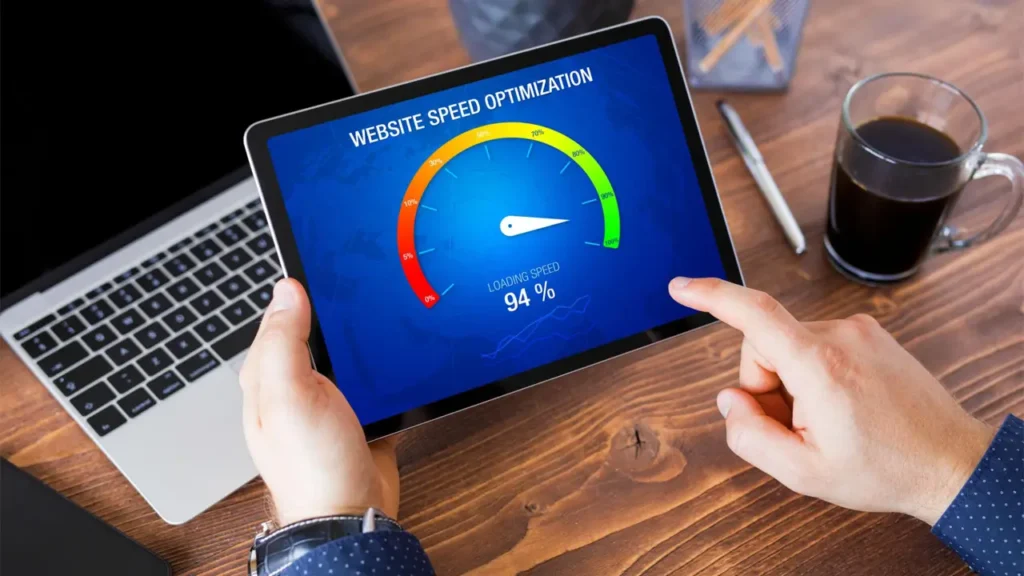
Slow Websites Lose Customers
Speed is not a luxury feature. It is a fundamental expectation that directly influences revenue.
Google’s own research, published through the Think with Google platform, shows that as page load time increases from one second to five seconds, the probability of a mobile visitor bouncing increases by 90%. Five seconds. That’s the difference between a potential customer and a missed opportunity.
Website speed optimization involves a range of technical interventions that deteriorate over time without maintenance:
- Image files accumulate and are rarely compressed
- The WordPress database bloats with post revisions, spam comments, and transients
- Caching configurations become stale or break after plugin updates
- Unoptimized or outdated plugins add unnecessary JavaScript and CSS to every page
- Hosting environments may require configuration tuning as traffic patterns change
Google’s Core Web Vitals — Largest Contentful Paint (LCP), Interaction to Next Paint (INP), and Cumulative Layout Shift (CLS) — are now confirmed ranking signals. A website that scored well on these metrics in 2023 may score poorly in 2026 if it hasn’t kept pace with evolving standards and accumulated technical debt.
| Core Web Vital | What It Measures | Good Score |
|---|---|---|
| LCP (Largest Contentful Paint) | How fast the main content loads | Under 2.5 seconds |
| INP (Interaction to Next Paint) | Responsiveness to user input | Under 200ms |
| CLS (Cumulative Layout Shift) | Visual stability during load | Under 0.1 |
Slow websites don’t just frustrate users — they signal to Google that the experience is poor. Regular speed optimization is the only way to maintain competitive performance over time.
Broken Forms Mean Lost Leads
This is one of the quietest killers in digital business. A contact form breaks. Maybe a plugin update caused a conflict. Maybe an email delivery service changed its API. Maybe an SSL certificate lapsed and the form stopped submitting over HTTPS. Whatever the reason, the form looks completely normal to every visitor — and every submission disappears into the void.
The ability to fix website errors like this relies on two things: regular testing, and someone technically capable of diagnosing the root cause. Without a maintenance routine that includes form testing, you may go weeks or months without realizing that enquiries are not coming through. You assume business is slow. In reality, customers tried to reach you and couldn’t.
Similar silent failures include:
- E-commerce checkout errors — customers abandon carts because payment processing fails
- Broken booking systems — appointments cannot be scheduled despite the calendar appearing available
- 404 errors on linked pages — visitors land on dead pages after clicking from Google or social media
- SSL certificate expiry — browsers display security warnings that prevent users from proceeding
None of these announce themselves loudly. They require active monitoring and testing to catch before they cost real business. A professional website maintenance service will monitor uptime, test key user journeys regularly, and alert you the moment something breaks — not three weeks later when a frustrated customer mentions it in a review.
SEO Rankings Drop Without Maintenance
Search engine optimisation is not a one-time task. It is an ongoing discipline that depends heavily on the technical health of your website.
SEO website maintenance covers the technical foundations that Google evaluates when deciding where to rank your pages:
- Site speed — as discussed above, a critical ranking factor
- Mobile usability — Google uses mobile-first indexing; broken mobile layouts hurt rankings
- Crawl errors — if Google’s bots encounter errors crawling your site, pages may not be indexed
- Broken internal links — orphaned pages and 404 errors dilute link equity
- Duplicate content — CMS updates sometimes create duplicate URLs without canonical tags
- Structured data errors — schema markup can break after theme updates, removing rich snippets from search results
According to Google’s Search Central documentation, crawl errors, server errors (5xx), and pages that return incorrect status codes can cause pages to be dropped from the index entirely. A website that ranked on page one last year can quietly disappear from search results if these technical issues accumulate unnoticed.
The relationship between maintenance and SEO is direct: a well-maintained site is a crawlable, fast, stable site — exactly what Google rewards. A neglected site becomes a technical minefield that algorithms learn to avoid.
Plugin Updates Are Not Optional
There is a common misconception among website owners that plugin updates are cosmetic — new features you might not need, minor tweaks that don’t affect anything important. This view is dangerously wrong.
The majority of plugin updates include security patches. The WordPress vulnerability database, maintained by Wordfence and Patchstack, documents thousands of plugin vulnerabilities discovered each year. Many of these are rated Critical or High severity, meaning they can be exploited remotely without authentication.
When a vulnerability is publicly disclosed, developers race to patch it and release an update. But that disclosure is public — meaning attackers also see it and immediately begin scanning for sites still running the vulnerable version.
| Risk Level | CVSS Score | Recommended Response Time |
|---|---|---|
| Critical | 9.0 – 10.0 | Within 24 hours |
| High | 7.0 – 8.9 | Within 72 hours |
| Medium | 4.0 – 6.9 | Within 7 days |
| Low | 0.1 – 3.9 | At next scheduled update |
Beyond security, outdated plugins cause compatibility problems. When WordPress core updates, plugins built for older versions may break features, conflict with other plugins, or produce PHP warnings that affect page rendering. Keeping plugins current is the only way to ensure a stable, compatible, and secure plugin ecosystem.
Additionally, abandoned plugins — those no longer updated by their developers — represent a permanent vulnerability. Part of responsible maintenance includes auditing installed plugins regularly and replacing abandoned ones with actively maintained alternatives.
Backup Systems Save Businesses
Imagine waking up to find your website is gone. Not slow. Not broken. Gone — replaced by a hacker’s defacement page, or simply blank after a catastrophic server failure. How long would it take your business to recover? How much revenue would you lose? How many customers would you never get back?
Website backup services are the insurance policy that most businesses wish they had after disaster strikes. Like all insurance, it feels unnecessary right up until the moment it saves everything.
A responsible backup strategy involves several elements:
- Frequency: For active sites, daily automated backups are the minimum. E-commerce or high-traffic sites may require real-time or hourly backups.
- Location: Backups stored only on the same server as your website offer no protection against server failures. Backups should be stored in at least one off-site location — a separate cloud storage service is the standard approach.
- Retention: Keeping 30 days of backup history means that if malware was injected two weeks ago and you only just noticed, you can restore to a clean version from before the infection.
- Testing: A backup you have never tested is a backup you cannot trust. Regular restore testing confirms that your backup files are complete and functional.
According to Veeam’s 2024 Data Protection Trends Report, 75% of organizations experienced at least one unplanned outage in the previous year. For websites, the causes range from server hardware failures and hosting provider errors to accidental content deletion and, most commonly, security breaches.
The cost of recovering a website without a backup — rebuilding content, redesigning pages, losing data — vastly exceeds the modest monthly cost of a proper backup service. This is one area where there is genuinely no argument against investing.
Malware Can Destroy Brand Reputation
Getting hacked is bad. What happens next can be worse.
When malware is injected into a website, Google’s Safe Browsing service — which protects billions of users across Chrome, Firefox, and Safari — may detect the malicious content and flag your site. Users attempting to visit your website will see a full-page red warning: “This site contains harmful programs” or “Deceptive site ahead.”
That warning does not say “the website was hacked.” It says your site is dangerous. To most users, there is no meaningful difference.
Website malware protection combines several layers of defence:
- Regular malware scanning using tools like Sucuri SiteCheck or Wordfence
- Web Application Firewall (WAF) to block malicious traffic before it reaches your site
- File integrity monitoring to detect unauthorised changes to core files
- Activity logging to track login attempts and admin actions
Recovering from a Google blacklist requires removing the malware, submitting a reconsideration request through Google Search Console, and waiting for Google’s crawlers to re-evaluate the site. This process typically takes several days to weeks — days during which your website is effectively sending customers away with a security warning.
The reputational damage extends beyond the immediate incident. Studies in consumer psychology consistently show that security incidents reduce trust durably. Customers who saw the warning may never return, and they may tell others. For small businesses, a single malware incident can cause lasting damage to the customer relationships they spent years building.
Professional Website Technical Support Matters
Throughout this article, the theme has been consistent: the risks of neglecting your website are real, compounding, and often invisible until they become emergencies. The good news is that all of these risks are manageable — but only with consistent, knowledgeable attention.
Website technical support from a professional maintenance service means you have someone watching your site so you don’t have to. It means problems are caught before they become crises. It means security patches are applied promptly, backups are verified, performance is monitored, and forms are tested.
Business website support also frees you — the business owner or manager — to focus on what you actually do. You are not a developer. Managing plugin conflicts, debugging PHP errors, or interpreting Google Search Console warnings is not the best use of your expertise. Outsourcing that responsibility to people who do it every day is the rational choice.
| Maintenance Task | DIY Risk | Professional Benefit |
|---|---|---|
| Security updates | Delayed or missed patches | Applied within hours of release |
| Plugin updates | Untested, causing site breakage | Tested in staging before live deployment |
| Backups | Manual, infrequent, stored on-site | Automated daily, off-site, tested |
| Speed optimization | Overlooked as site slows over time | Monthly performance audits and fixes |
| Malware scanning | Discovered after Google flags the site | Detected and removed proactively |
| Uptime monitoring | You find out when a customer tells you | Alert within minutes of downtime |
| SEO health checks | Broken links and errors accumulate | Monthly crawl audits and fixes |
The question to ask is not “Can I afford website maintenance services?” The real question is: “Can I afford the alternative?”
A single security breach requiring emergency cleanup typically costs between $500 and $5,000, depending on severity — and that doesn’t account for lost revenue during downtime, or the long-term cost of reputation damage. A single week of Google blacklisting can cost an e-commerce business more in lost sales than an entire year of professional maintenance would have cost.
Conclusion
Your website is not a brochure that you print once and leave in a drawer. It is a live, breathing digital asset that runs on software, serves real customers, and competes in a real search environment every single day. Like any business asset, it requires regular care to perform reliably and remain secure.
The ten areas covered in this article — from website security updates and WordPress maintenance to plugin updates, website backup services, website malware protection, and website speed optimization — are not independent concerns. They are interconnected parts of a single system. Neglecting one weakens the others.
Professional website maintenance services bring all of these disciplines together under one consistent programme, managed by people who track the threat landscape, monitor performance metrics, and respond to problems before your customers ever notice them.
Your website represents your business to every person who searches for what you offer. It deserves the same professional attention as every other part of your operation. If it’s been running without regular maintenance, now is the right time to change that.
🇬🇧
Excellent article about website maintenance and performance. Very clear explanation of why technical support is essential for business growth and SEO stability. The website design also looks modern and professional.
Visit: Andreev Web Studio
🇪🇸
Gran artículo sobre mantenimiento web y velocidad del sitio. Explica perfectamente cómo las actualizaciones y el soporte técnico ayudan a proteger un negocio online. Diseño moderno y contenido útil.
Visitar: Andreev Web Studio
🇸🇦
مقال رائع يشرح أهمية الصيانة التقنية للمواقع الإلكترونية وتأثيرها على سرعة الموقع وتحسين نتائج SEO. الموقع احترافي وسهل التصفح للغاية.
زيارة الموقع: Andreev Web Studio
🇨🇳
这篇关于网站维护和速度优化的文章非常专业。内容清晰,解释了为什么企业网站需要持续技术支持。网站设计现代,阅读体验很好。
访问网站:Andreev Web Studio
🇫🇷
Excellent article sur la maintenance des sites web et la sécurité en ligne. Les conseils sont utiles pour les entreprises qui souhaitent améliorer leur SEO et éviter les problèmes techniques.
Visitez : Andreev Web Studio
🇩🇪
Sehr informativer Beitrag über Website-Wartung und technische Unterstützung. Der Artikel erklärt verständlich, warum regelmäßige Updates und Sicherheit für Unternehmen wichtig sind. Modernes und professionelles Webdesign.
Besuchen Sie: Andreev Web Studio